Vocabulary tracking or content immersion?
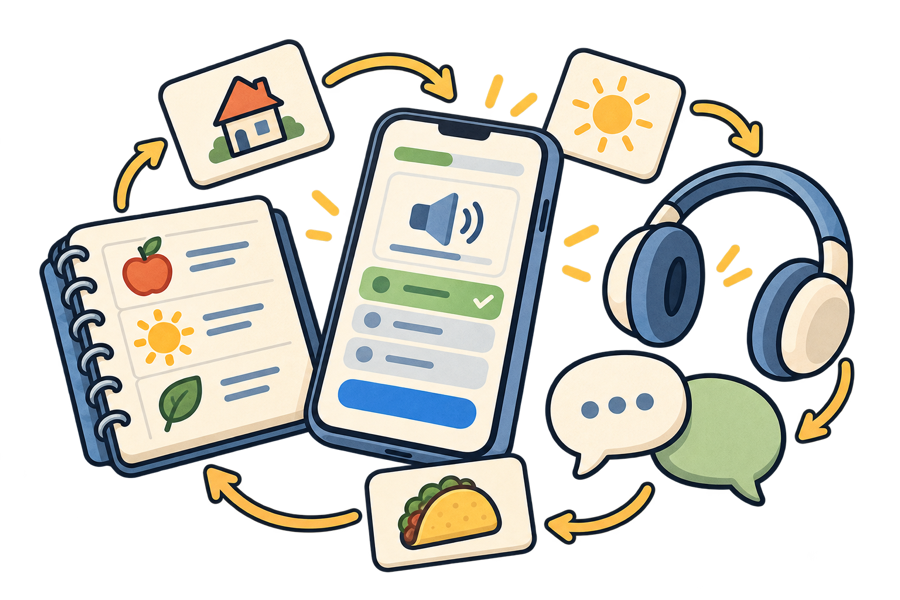
VocabTally and LingQ can both help you keep track of vocabulary, but they begin from different places. VocabTally is a focused word log with flashcards, quizzes, and visible vocabulary progress. LingQ is a broader reading-and-listening platform built around learning from lessons and imported content.
Why Learners Look For A LingQ Alternative
LingQ is designed for immersion. You can read and listen to material from its library, look up words inside a lesson, save new words and phrases, and review them with spaced repetition. It also lets learners import outside content and tracks activity such as reading and listening.
That makes LingQ a strong choice if authentic content is the centre of your routine. It is also a larger system to learn, and some of its most useful capabilities, including unlimited saved words and unlimited lesson imports, sit in paid plans.
VocabTally takes a narrower approach. It gives Spanish and English learners a simple place to record the words they know, practise with custom quizzes and flashcards, explore illustrated themed decks, and see their vocabulary grow. You bring the words from your lessons, books, videos, or conversations without also moving that content into a new reader.
Is VocabTally A LingQ Replacement?
Only if the part of LingQ you value most is saving and reviewing vocabulary. LingQ is the more complete tool for reading and listening to full lessons, importing content, studying offline, and working across many languages. VocabTally is the simpler option for maintaining a personal Spanish or English vocabulary log.
Choose LingQ if you want an immersion library and a reader that turns content into lessons. Choose VocabTally if your learning content already comes from elsewhere and you want a lighter home for the words you collect.
LingQ vs. VocabTally
Both products save vocabulary, offer review, and show progress. The most important difference is scope: LingQ surrounds vocabulary with reading and listening content, while VocabTally keeps the experience centred on your word collection, custom decks, daily practice, and vocabulary statistics.
| Feature | VocabTally | LingQ |
|---|---|---|
| Free plan | ✓ | ✓ |
| Saved-word allowance on free plan | 100 | 20 |
| Basic statistics on free plan | ✓ | × |
| Available in a web browser | ✓ | ✓ |
| All your saved words in one dedicated log | ✓ | ✓ |
| CSV vocabulary import and export | ✓ | ✓ |
| Add vocabulary met outside the app | ✓ | ✓ |
| One-step manual word and translation entry | ✓ | × |
| Save words on the web and iPhone | ✓ | ✓ |
| Visible known-word count | ✓ | ✓ |
| Create custom flashcard decks | ✓ | × |
| Daily multiple-choice vocabulary practice | ✓ | ✓ |
| 7-day and 30-day practice filters | ✓ | × |
| Illustrated themed flashcard decks | ✓ | × |
| In-depth learning statistics | ✓ | ✓ |
| Habit and activity tracking | ✓ | ✓ |
| Built-in reading and audio library | × | ✓ |
| Import articles, videos, and ebooks as lessons | × | ✓ |
| Integrated dictionaries inside lessons | × | ✓ |
| More than 50 languages | × | ✓ |
Why Choose VocabTally Instead Of LingQ?
Keep your vocabulary separate from your content
If you already learn through classes, YouTube, podcasts, books, or conversation, you may not need another reading and listening platform. VocabTally lets those resources stay where they are while your useful words collect in one place.
Build custom decks and practise every day
Turn the words you care about into custom flashcard decks, then return for quick daily multiple-choice practice. VocabTally also includes illustrated themed decks when you want a ready-made starting point.
Import, export, and keep control of your list
VocabTally Pro can import a one-word-per-row CSV and export your vocabulary with translations, parts of speech, gender, and the date each word was added. LingQ also supports vocabulary import and export, so neither platform locks your word list inside the app.
See more than a simple vocabulary count
VocabTally makes your personal word total the centre of the experience, with detailed vocabulary statistics, learning history, deck progress, and habit views that are easy to understand at a glance.
Start with a smaller learning curve
There are fewer decisions about libraries, lessons, imports, and content status. Add a word, review it, and keep building the habit.
When LingQ Is The Better Choice
LingQ is the stronger option when you want to spend substantial time reading and listening inside the same app. Its content library, integrated dictionaries, imports, audio playlists, offline study, and wide language range go well beyond VocabTally's deliberately focused toolset.
Frequently Asked Questions
Which is easier, VocabTally or LingQ?
VocabTally is generally simpler if you only want to save and review Spanish or English vocabulary. LingQ has more to explore because it also manages lessons, reading, listening, imports, and many languages.
Can both apps track words I know?
Yes. Both products track vocabulary and known-word progress, though LingQ connects that tracking to content you study inside its reader.
Does LingQ have a free option?
Yes. LingQ's free plan currently includes up to 20 saved words and phrases, 5 imported lessons, and 1 audio playlist. VocabTally's free plan supports up to 100 saved words, one custom deck, limited daily practice and flashcards, and basic statistics.
Can VocabTally import articles and videos?
No. LingQ is the better fit if turning articles, videos, ebooks, or podcasts into lessons is important to you.
Can I use VocabTally and LingQ together?
Yes. You could read and listen in LingQ while using VocabTally as a focused log for the words you most want to remember.
Try VocabTally For Focused Vocabulary Tracking
If you want a lighter LingQ alternative for collecting Spanish or English words, practising them, and watching your vocabulary count grow, VocabTally keeps that habit clear and approachable.
Updated